






An AI job agent for working professionals in India

Wake up to job applications already sent.

Every day, QuickJobs reads India's top job sites, scores each new job with AI and applies from your own Chrome. Your rules, always.

QuickJobs runs in Chrome on a computer. Join from your phone now and your invite arrives by email.

Already have an invite? Install the beta →
Reads and applies on6 job boards, plus LinkedIn and Gmail
  • NNaukriAll industries
  • iiimjobsManagement and MBA roles
  • SShineAll industries
  • FFounditFormerly Monster India
  • HHiristTech roles
  • IInstahyreTech and product roles
  • inLinkedInHiring posts
  • @GmailRecruiter replies
Rohan's dashboard, six weeks in 4 interviews from 107 applications
The QuickJobs dashboard after six weeks: totals of 256 jobs found, 107 applied, 12 recruiter replies and 4 interviews, a 12-week grid of application days, and below them today's run, finished on schedule with 12 applications sent, with an activity log of each application.
The job search you do after work

Six sites. Six logins. The same questions, over and over.

6

Job boards to check, every single day

The roles you want are spread across Naukri, iimjobs, Instahyre and three more. Each has its own search, its own filters and the same old listings.

Day 1

Early applicants get read first

By the time you get to a role on the weekend, it has been open for days. QuickJobs checks every day, so you're among the first to apply.

1 inbox

Recruiter replies get buried

Replies land in the same inbox as every job alert, so an interview invite can sit unread for days. QuickJobs pulls them out and flags the ones that need you.

How it works

One run a day, finished before your chai.

QuickJobs is a Chrome extension. It works through the job sites you're already signed in to, so it applies as you. ScrollSwipe through one real run.

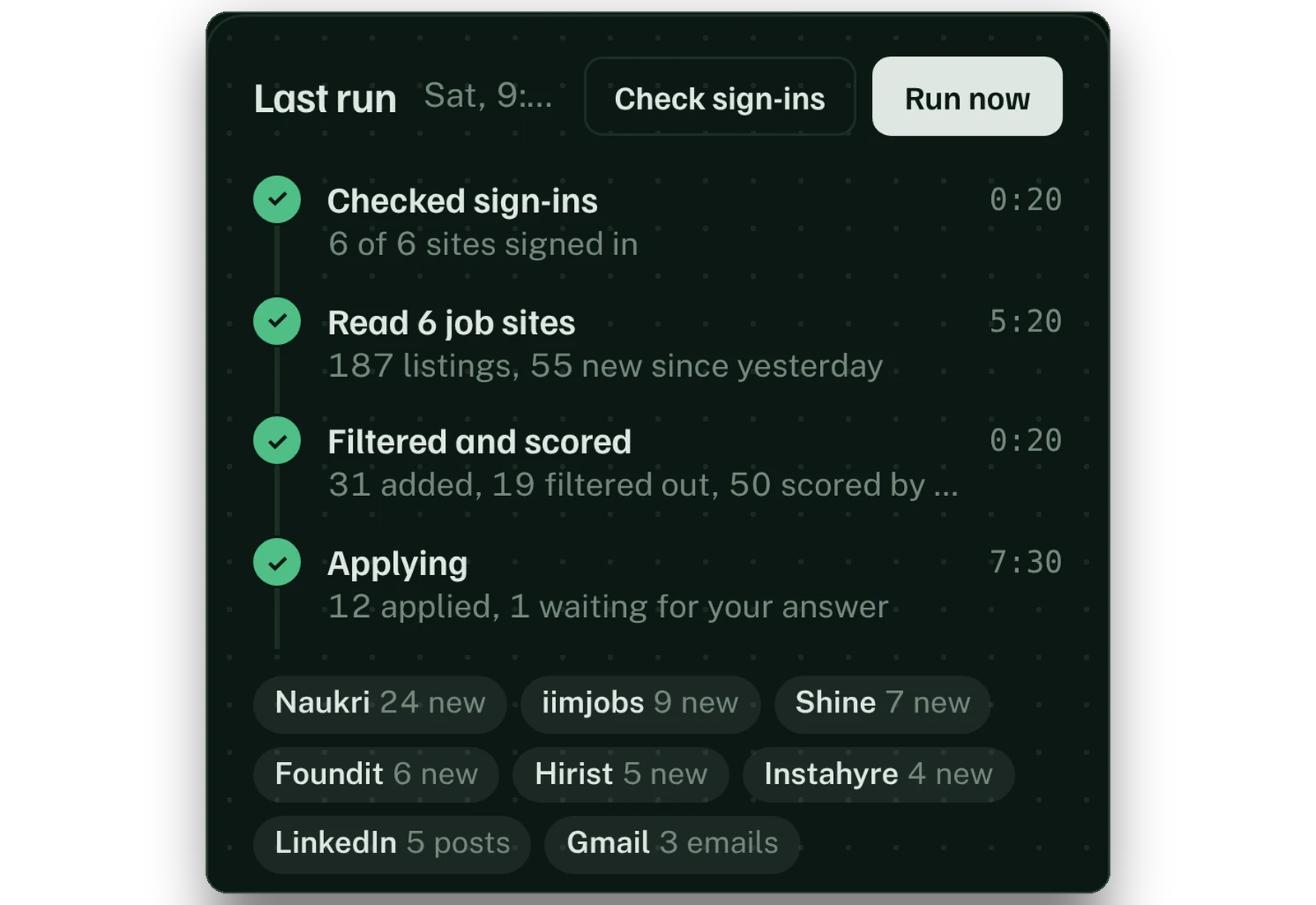
  1. 20 sec01

    Checks you're signed in

    Before it reads anything, it checks each of your sites. If one has signed you out, you hear about it first, not after a wasted run.

    6 of 6 sites signed in
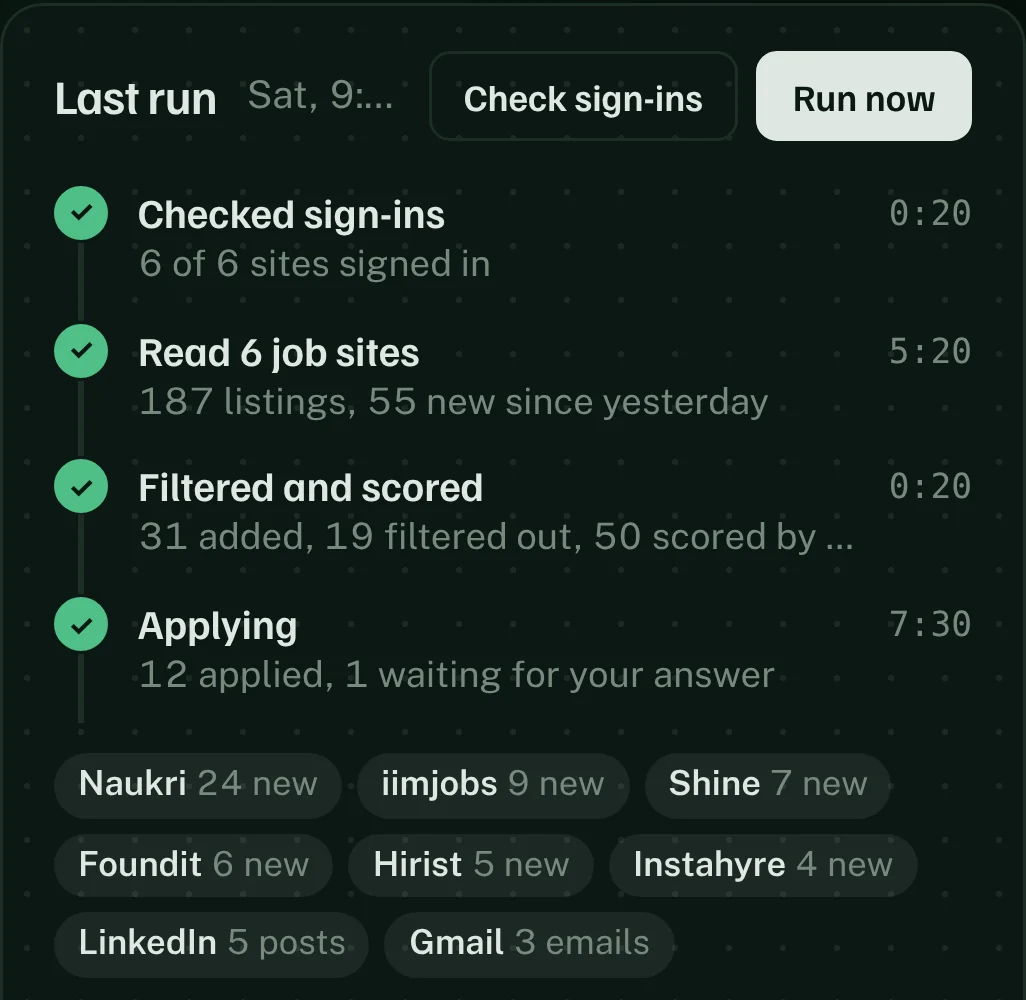
    The run console: sign-ins checked on all six sites, then reading, scoring and applying, with a chip for each site.
  2. 5 min02

    Reads only what's new

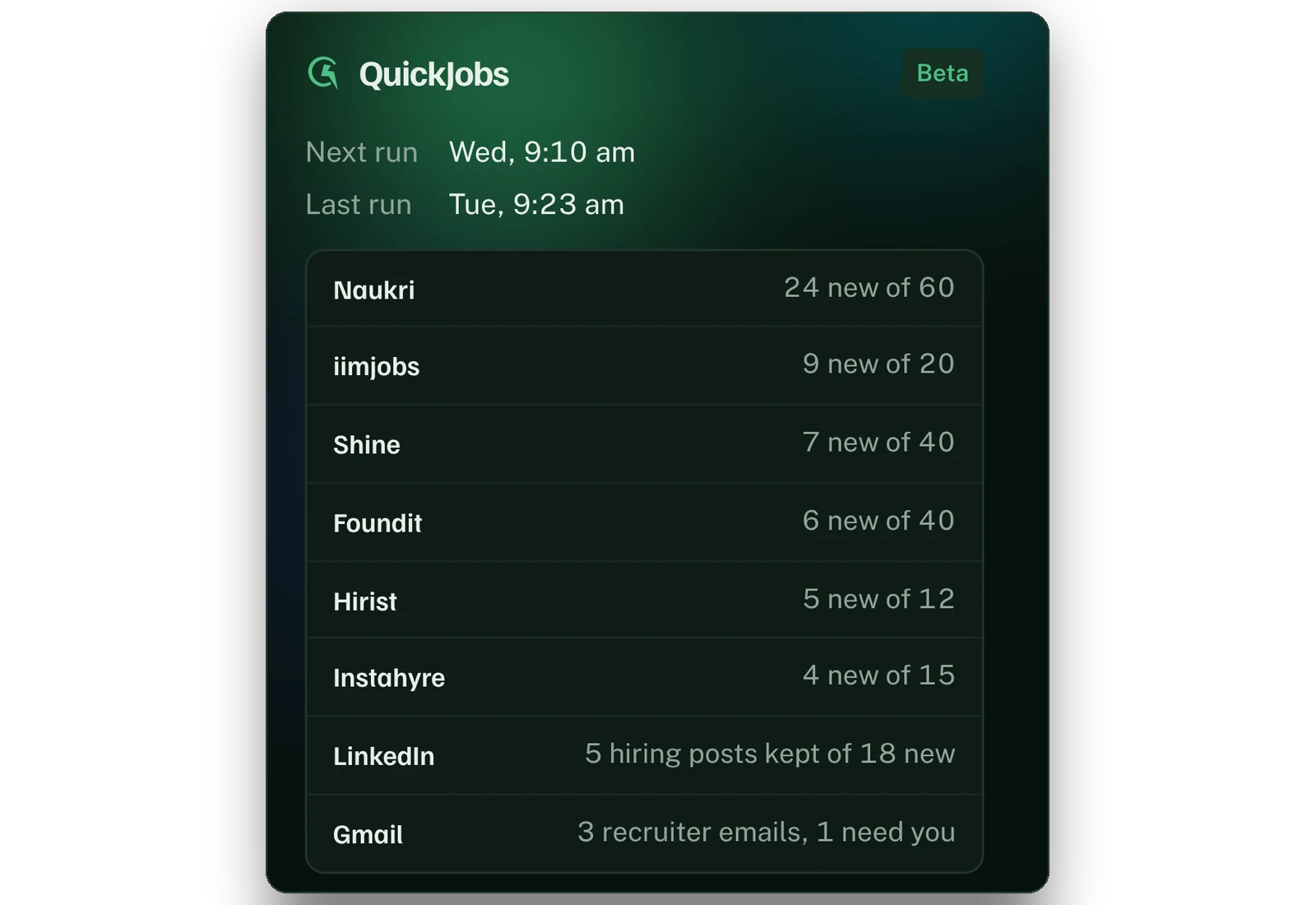
    Your saved searches on all six boards, newest first. It stops paging the moment it reaches jobs it has already seen.

    187 listings, 55 new since yesterday
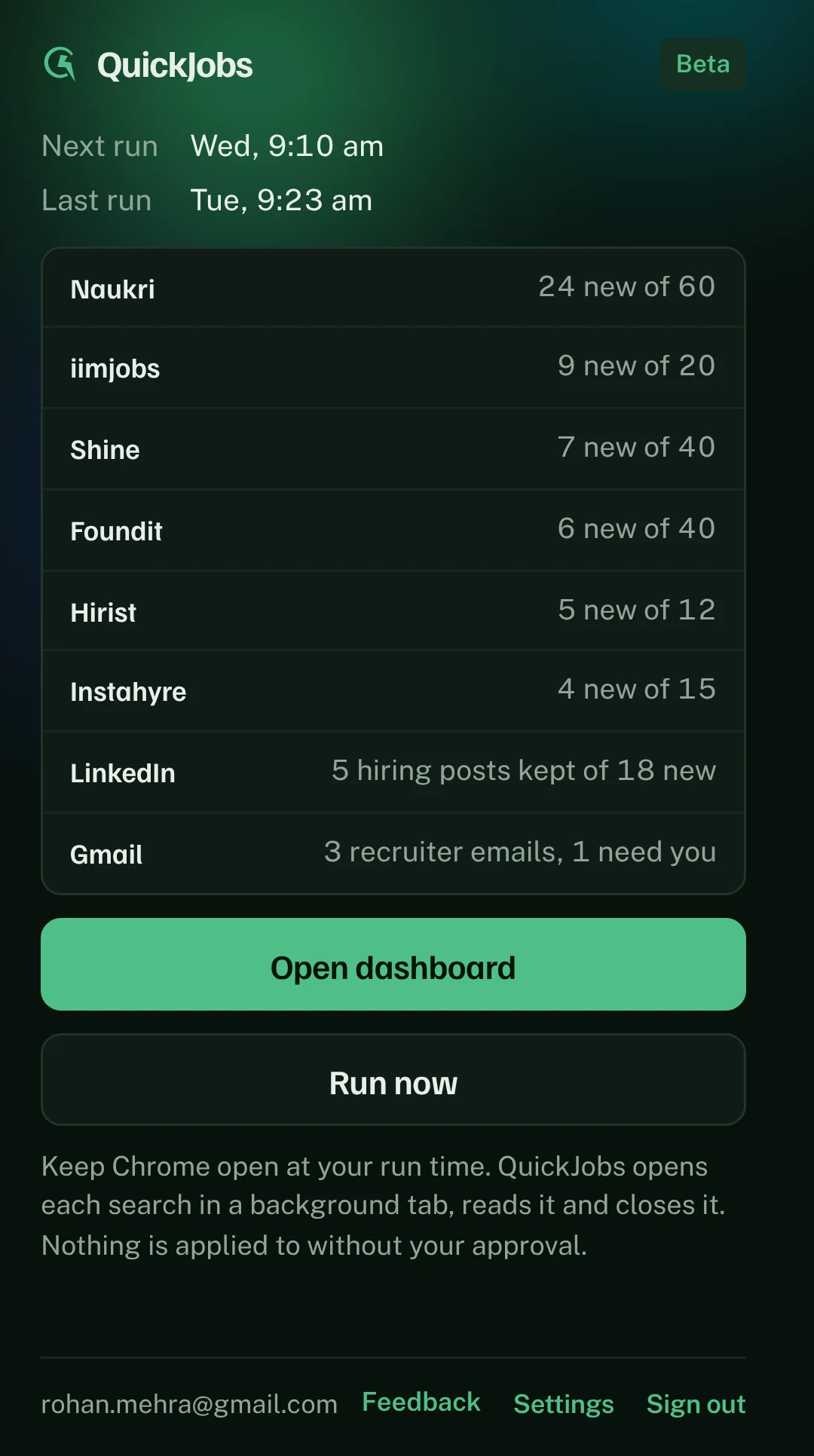
    The QuickJobs popup: new jobs found on each job site today, plus LinkedIn posts and recruiter emails.
  3. 20 sec03

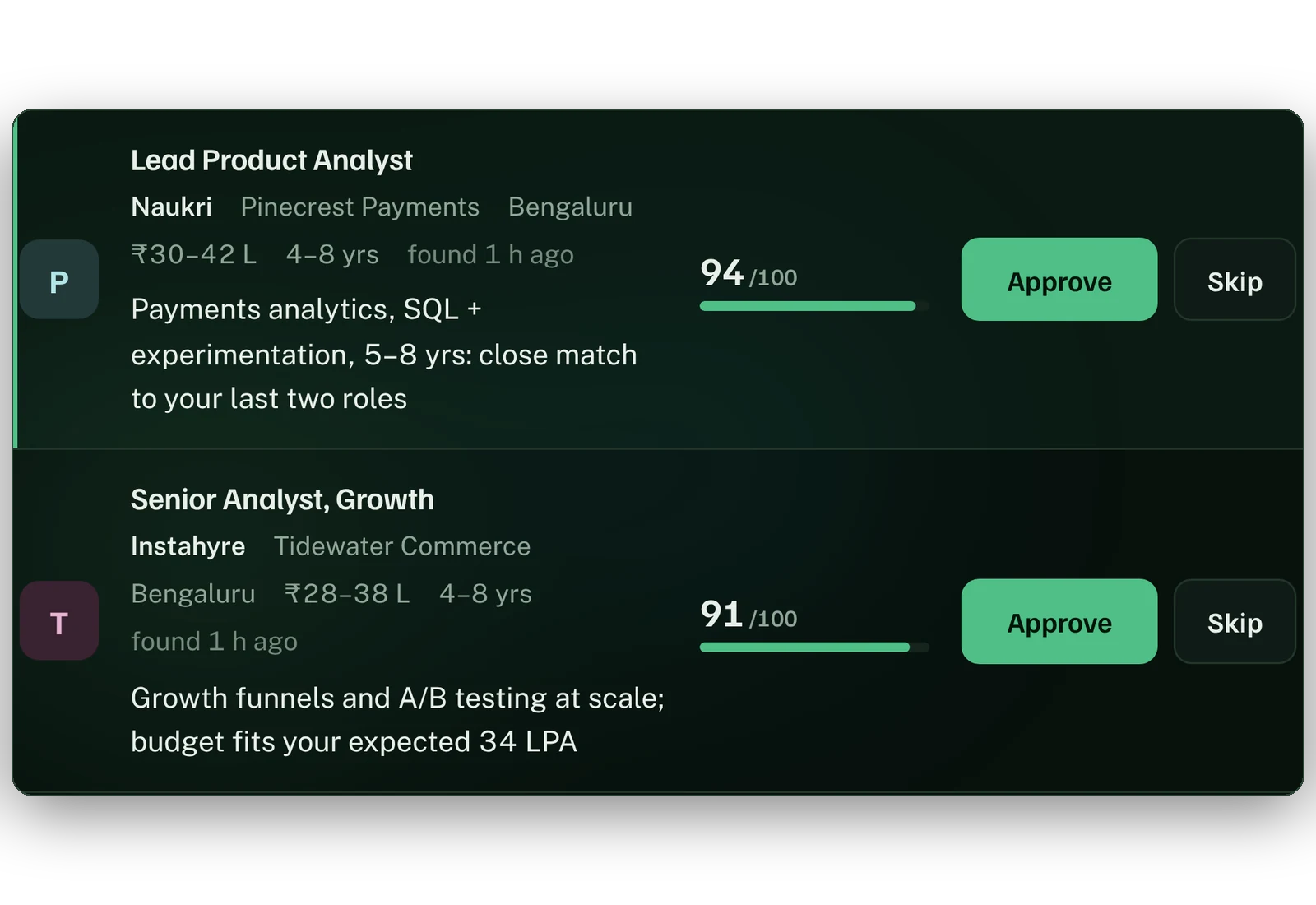
    Filters, then AI scores

    Pay in lakhs, experience, cities and blocked companies go first. AI then gives every job left a 0–100 match score with a one-line reason, so the best fits rise to the top.

    31 added, 19 filtered out
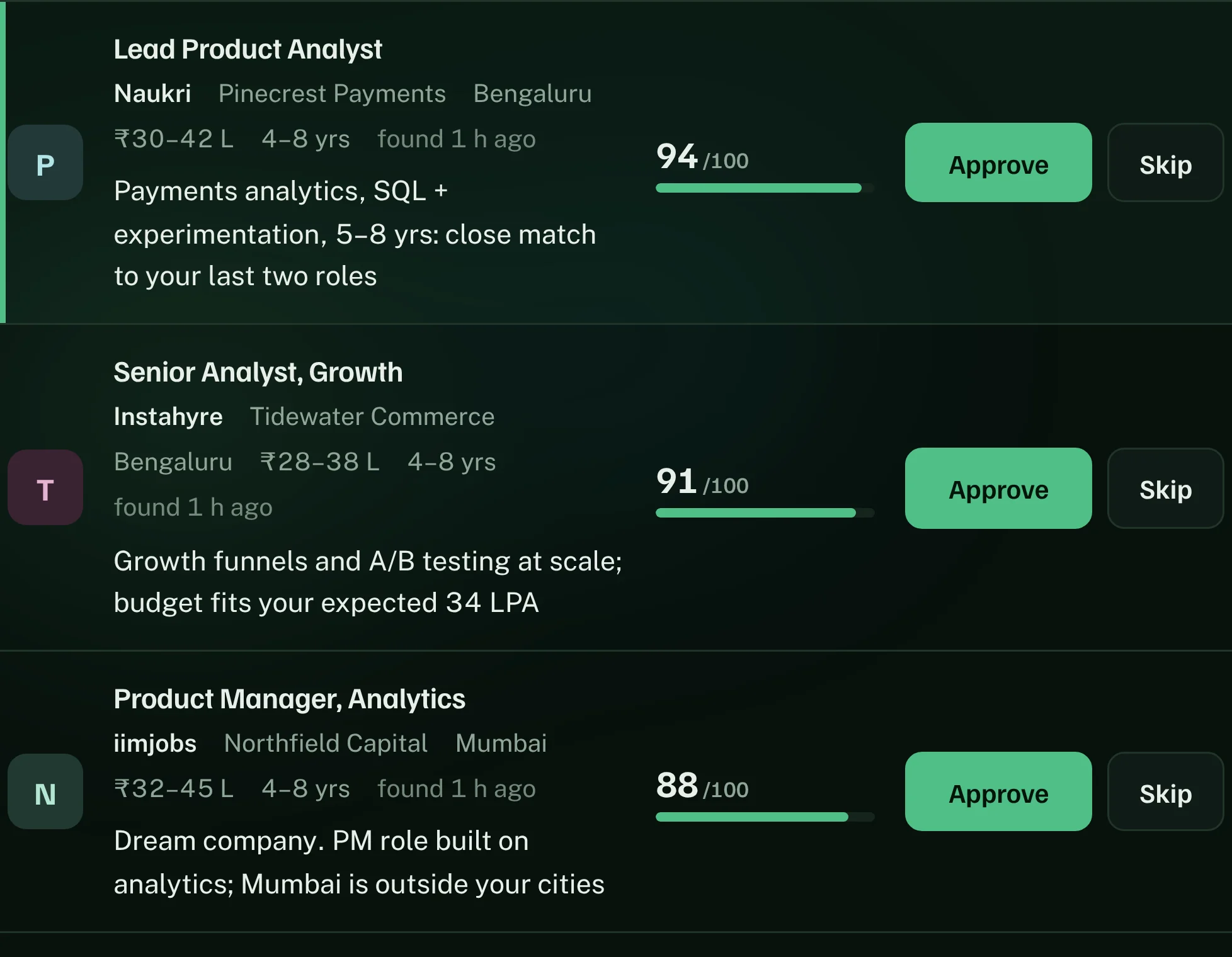
    The review queue: each job with its salary in lakhs, a match score out of 100 and the reason for it.
  4. 7 min04

    Applies to the ones that clear your bar

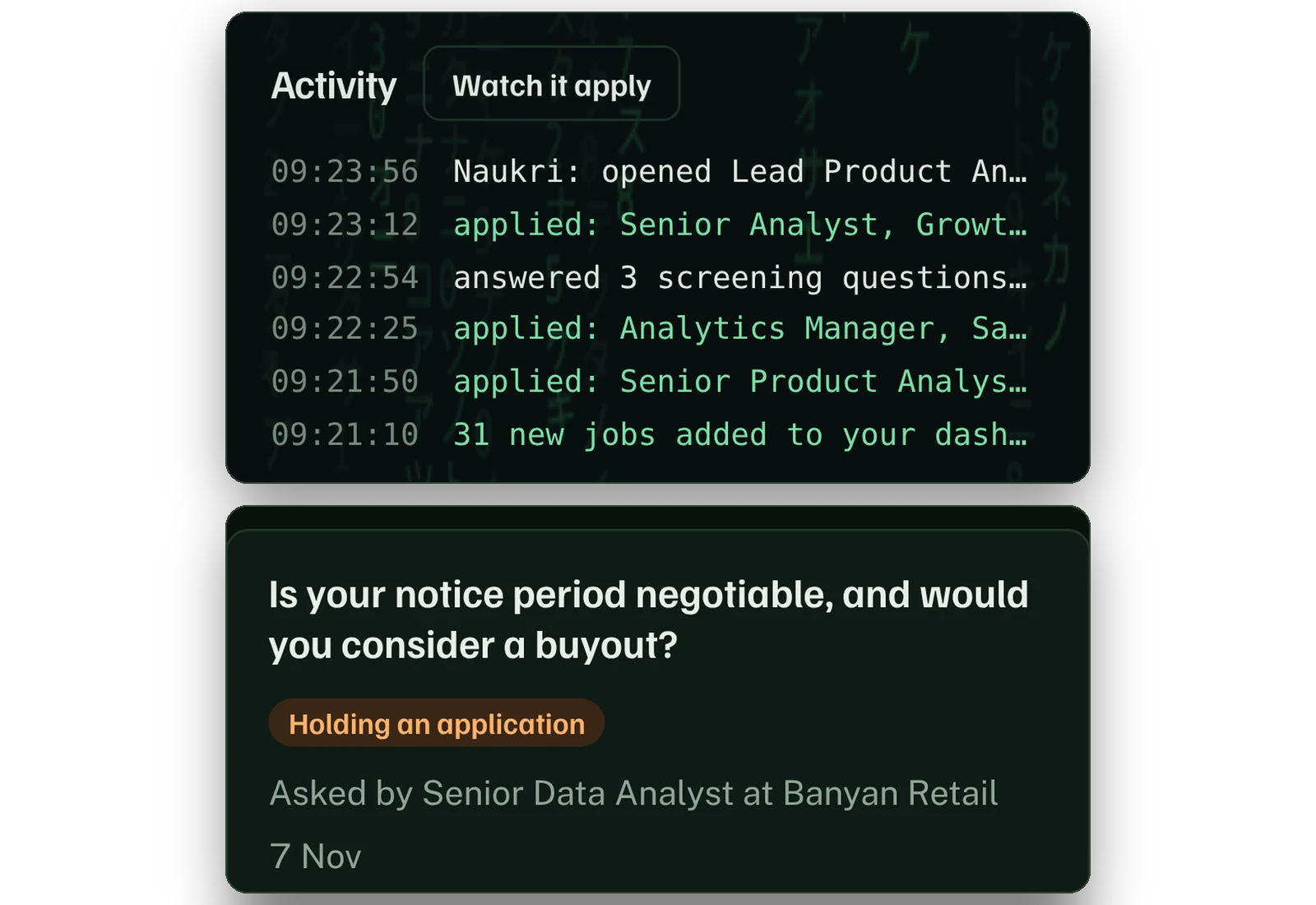
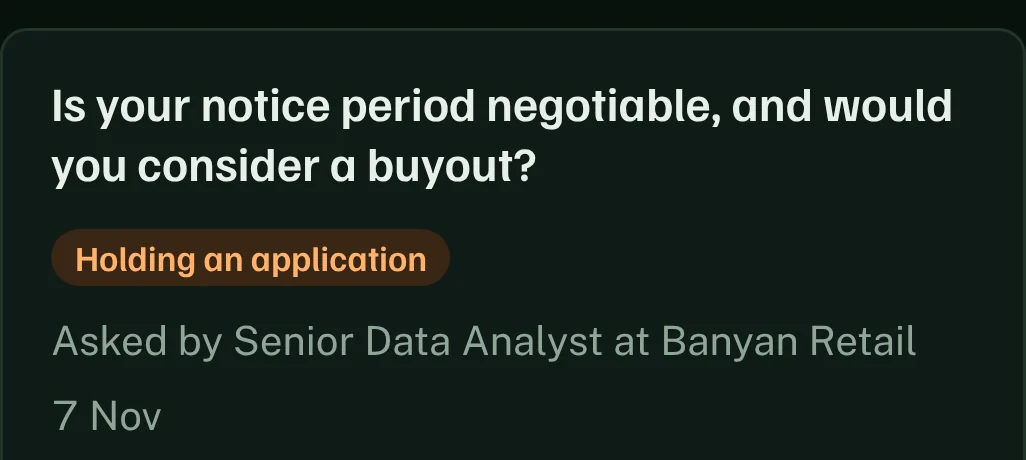
    It clicks Apply and fills screening questions from your saved answers. AI writes answers to open questions like "Why this role?" from your profile. A fact it can't know, like a notice-period buyout, waits for you instead of being guessed.

    12 applied, 1 waiting for your answer
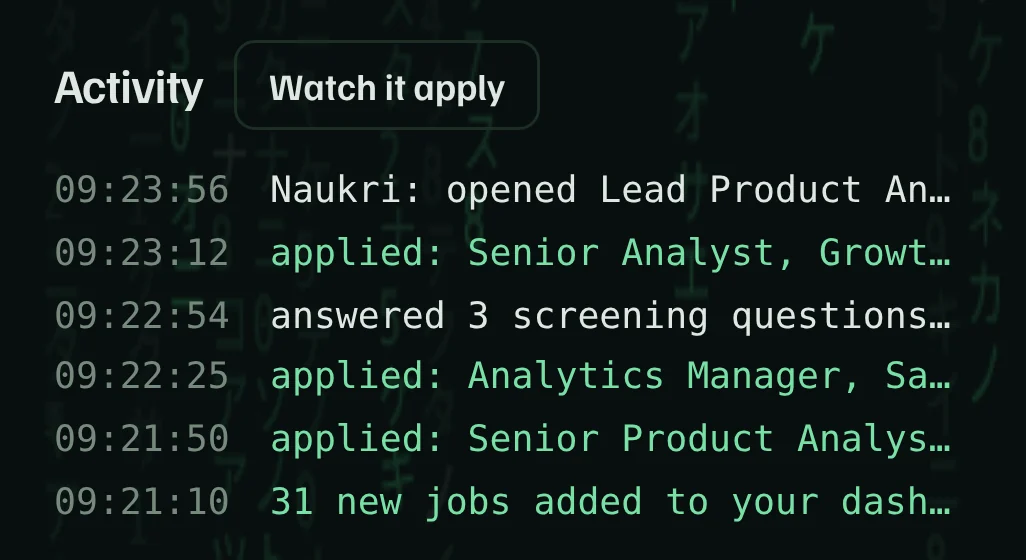
    The activity log while applying: applications sent one by one.
    A new screening question holding one application until you answer it.
  5. 1 min05

    Checks LinkedIn and your inbox

    It keeps hiring posts that match your roles, and AI sorts recruiter replies so an interview invite never sits unread under newsletters.

    5 hiring posts, 3 recruiter emails
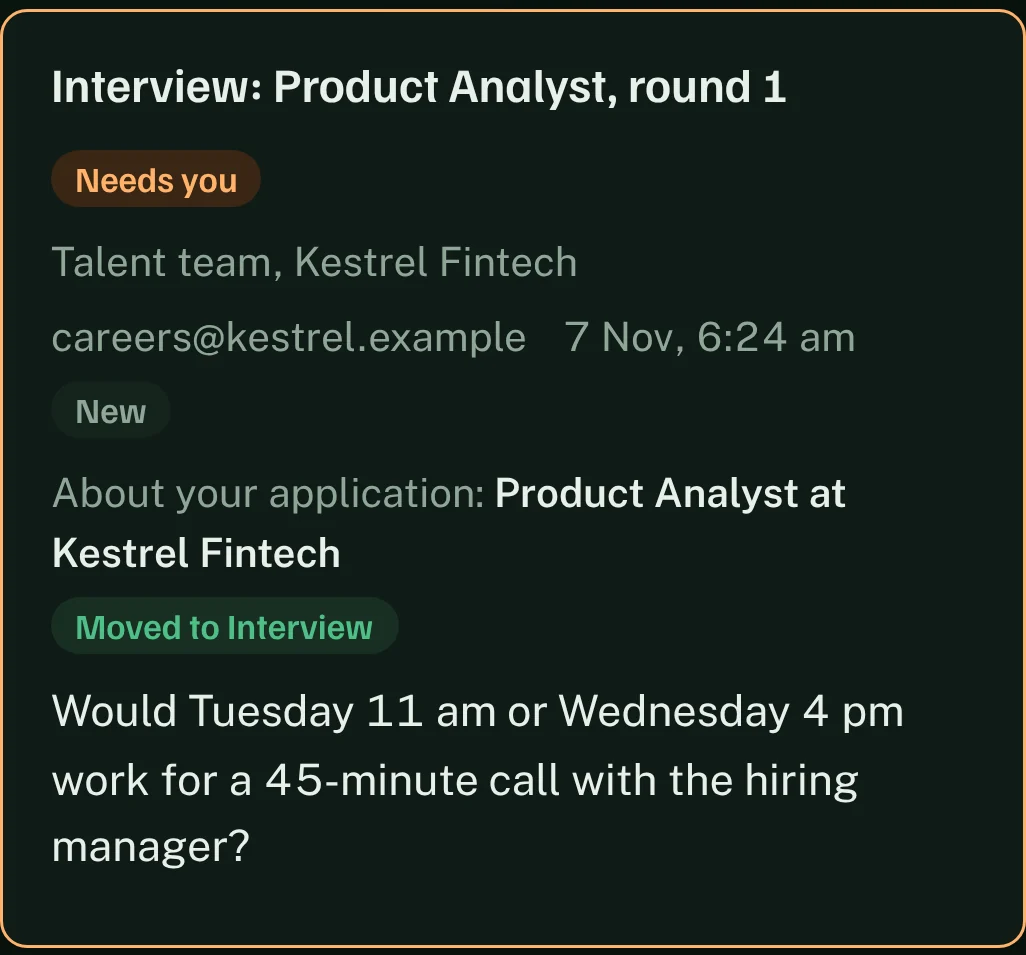
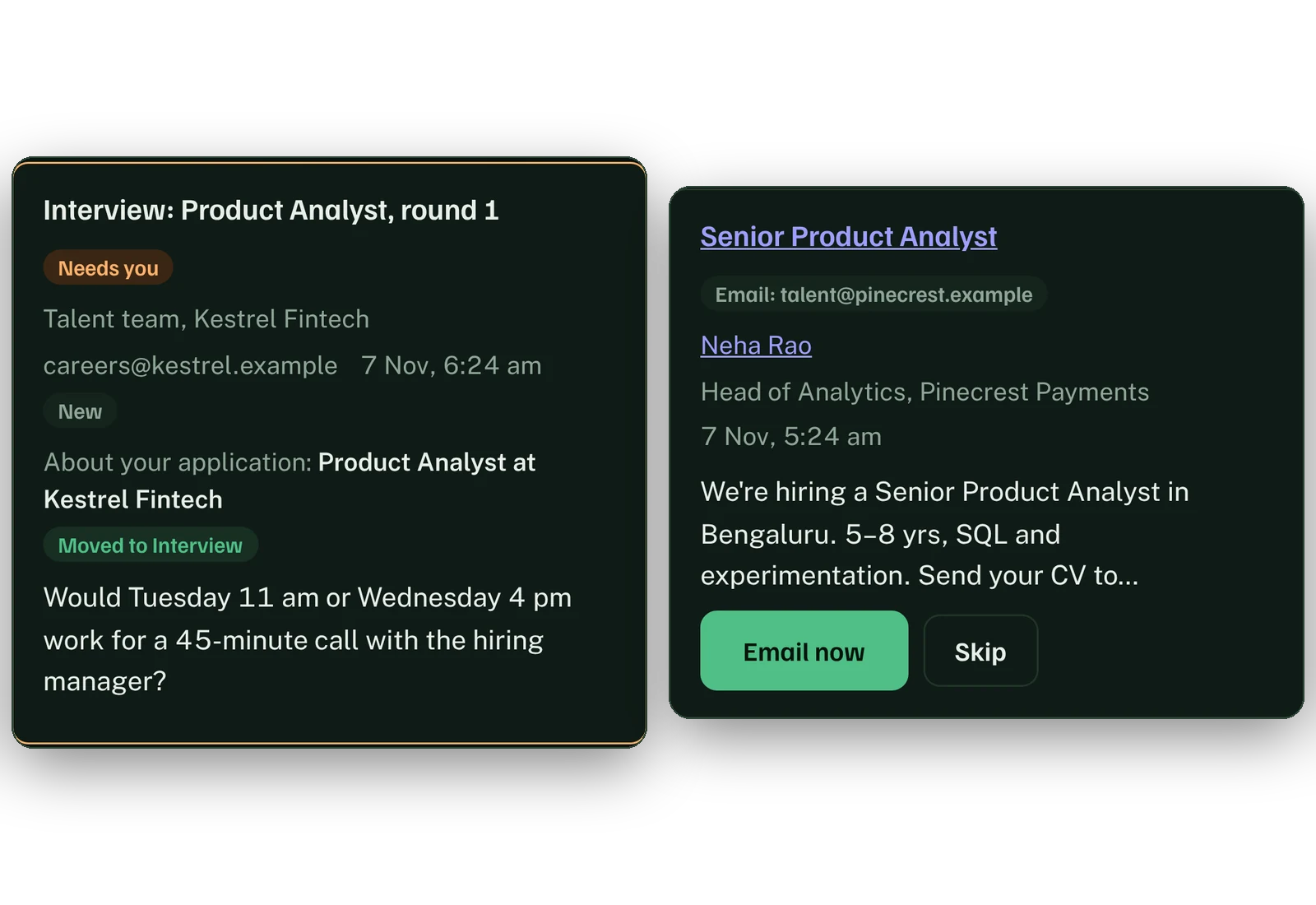
    A recruiter's interview invite, marked Needs you and linked to the application.
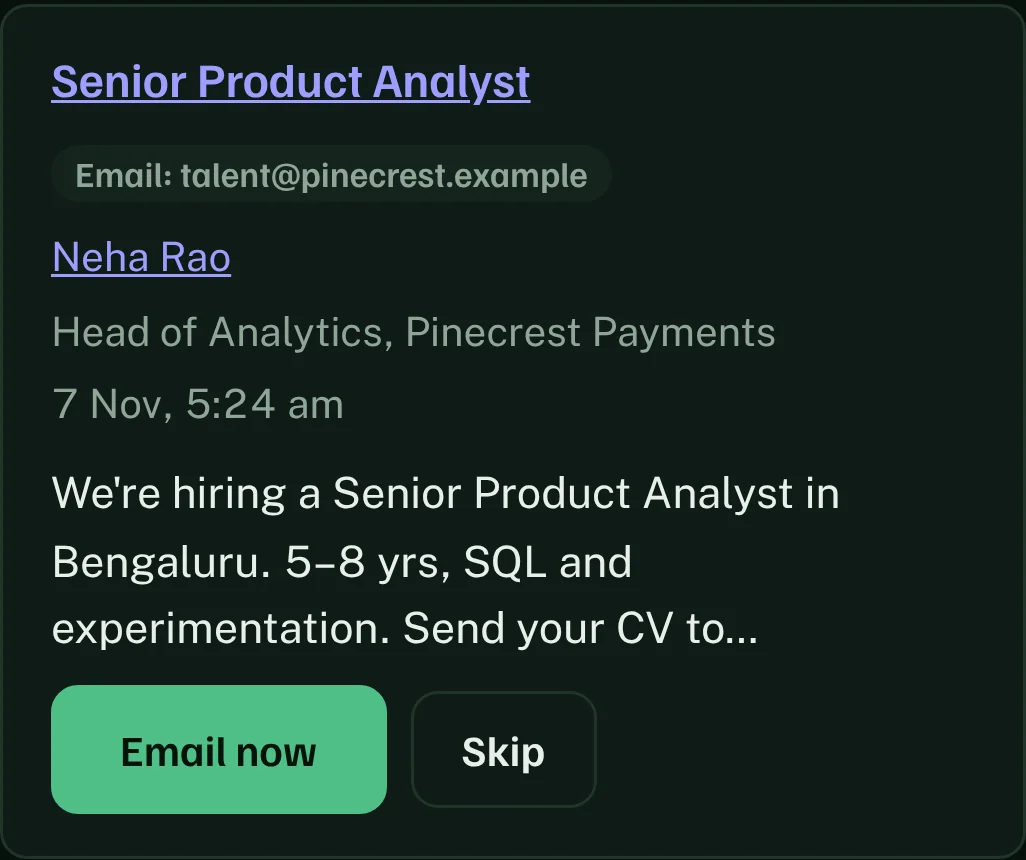
    A LinkedIn hiring post with the poster's email, ready to email.
Hands-free, never out of your hands

Let it apply for you. Decide exactly where it stops.

Turn on Apply without asking me and QuickJobs sends applications on its own, but only for jobs that pass your filters and score above your minimum. Everything else waits for one tap.

It never guesses

A new question holds the application and asks you, once

Notice-period buyout, reason for leaving, a skill it isn't sure you have. The application waits, you answer from your dashboard, and that answer fills every form that asks the same thing.

A screening question waiting in the dashboard: 'Is your notice period negotiable, and would you consider a buyout?', marked Holding an application, with the answer 'Yes, 60 days, buyout possible' typed in.

Your current employer is blocked for you

Switching quietly? QuickJobs never applies to your current company, or to any company you add.

Blocked companies
Larkspur Retail your employer+ Add a company

Hands-free above your score. One tap below it.

Set the minimum match. Jobs above it go out on their own; the rest wait in your queue. A lower minimum sends more applications, but more of them will be weak fits. A higher one sends fewer, stronger ones.

Apply without asking meJobs scoring 80+ go out on their own
Lowest score to apply80 / 100
More applicationsBetter matches

Daily limits on every site

You choose how many applications go out on each board each day. It moves at a person's pace, never in bursts.

Naukri15 a day
iimjobs10 a day
Instahyre10 a day

Stop, or watch it work

Every run has a Stop button. Turn on Watch it apply to see each form filled in a window on top.

Dream companies come first

Add up to 10. Their jobs get a higher score and are never hidden by your minimum.

Laptop asleep at run time?

The run catches up when Chrome opens. Miss one and you get an email reminder.

Made for Indian application forms

Fluent in CTC, notice periods and lakhs.

Global auto-apply tools mostly skip Indian job boards. QuickJobs is built around them and the questions their forms ask.

  • Pay the way Indian forms ask it. Fixed and variable split, total CTC and expected CTC, in lakhs a year.
  • Notice period and buyout. Answered the same way on every form, so recruiters never see two different numbers.
  • Cities you'd move to. Jobs in those cities stay in; the rest are filtered out before any AI is used.
  • Optional questions stay optional. Date of birth and gender are only filled if you add them.
Screening questions · Lead Product AnalystNaukri
₹24 LPA21 + 3, from your profile
₹34 LPAFrom your profile
60 days, negotiableSaved answer
YesPune is on your list
Waiting for youNew question: asked once, then saved
Your whole search in one place

From found to interview, without a spreadsheet.

Every application, every recruiter reply and every interview, linked to the job it came from. You see what's working and change course in a minute.

Pipeline totals: 256 found, 151 passed filters, 7 waiting for you, 107 applied, 12 recruiters replied, 4 interviews.
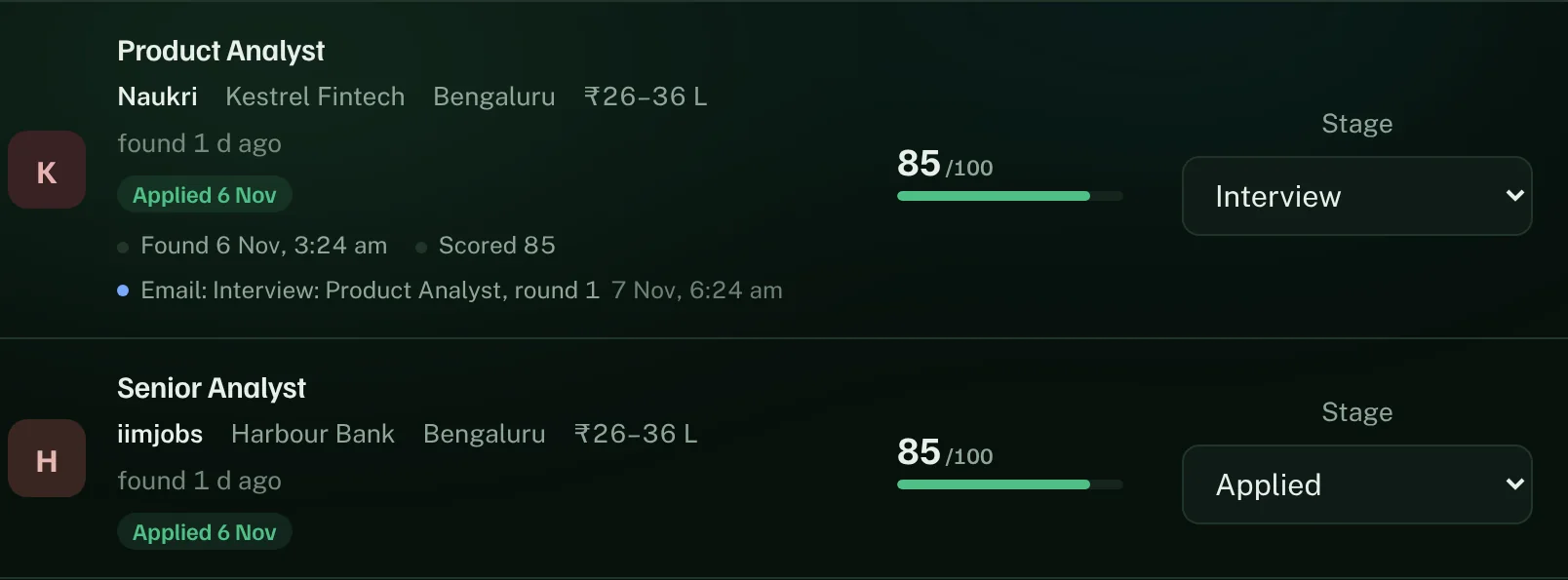
Applied jobs with stages; one marked Interview with the recruiter's interview email linked under it.
A 12-week grid of application days: 107 applications on 35 days.

Six weeks of an example search by a senior product analyst in Bengaluru. Companies are made up.

Privacy first

Your job search is sensitive. QuickJobs is built to keep it private.

You're trusting us with your CV, your pay and the fact that you're looking. This is exactly how that data is handled.

No passwords, ever

We never ask for your job-site, Gmail or LinkedIn passwords. QuickJobs works through the sites you're already signed in to in Chrome.

Your CV and pay stay on your computer

Your CV files, phone number, date of birth and current pay are kept in your own Chrome, not on our servers.

You choose what's stored

Each kind of data, like your job history or saved answers, is stored only after you switch it on, and you can switch it off again.

The AI sees only what it needs

To score a job, the AI gets the job description and your roles, title, experience, skills, cities and expected pay. Never your phone number, current pay, date of birth or gender.

Stored in India, never sold

Your data is stored in India, never sold and never used for ads. This site has no ad or tracking scripts.

Delete everything, any time

Delete your account and your data goes with it. If you stop your plan, everything of yours is deleted from our server after 30 days.

Why QuickJobs

The only one that covers all six Indian boards in one run.

What you needQuickJobsApplying by handGlobal auto-apply toolsA job board's own AI agent
Naukri, iimjobs, Shine, Foundit, Hirist, Instahyre✓ All six, every dayOne at a timeMostly not coveredIts own site only
An AI match score and reason for every job✓ 0–100, with the reasonYou judge each oneOftenVaries
LinkedIn hiring posts and recruiter replies✓ IncludedYou check yourselfVaries—
CTC, notice period and buyout answered your way✓ Saved once, reusedTyped every timeOften genericVaries
Never applies to your current employer✓ Blocked automaticallyYou rememberVariesVaries
Runs while you're at work✓ Daily, at a time you chooseNoYesYes
PricingWeekly plans in rupeesYour eveningsOften in dollarsPart of a paid plan
Questions

What people ask before they join.

Something else on your mind? Write to quickjobsbeta@gmail.com

Will my current employer find out?

QuickJobs never applies to your current company: it's added to your blocked list from your profile, and you can add others. It doesn't change your profiles or visibility settings on any job site; those stay as you set them.

Is it safe for my Naukri account?

It applies as you, from your own Chrome, at a person's pace and within daily limits you set. It stops at any "verify you're human" check instead of trying to get past it. Job sites set their own rules about automated tools, so we keep limits conservative and you can lower them any time.

Do I need to keep my laptop on?

Chrome needs to be running at the run time you choose. If your laptop was asleep, the run catches up when Chrome opens, and you get an email if a run is missed.

What does it cost?

Weekly plans, priced in rupees, with a cheaper monthly option. Prices are announced before launch. Early users from the waitlist get their first 30 days free.

What does the AI see?

To score a job, QuickJobs sends the job description and your target roles, title, experience, skills, cities and expected pay to its AI provider. Your phone number, current pay, date of birth and gender are never sent. Reading your CV to fill in setup is optional.

Can I approve every job myself instead?

Yes. That's the default. Apply without asking me is a switch you turn on when you're ready, and you can turn it off any day.

What do I need?

Chrome on a Windows, Mac or Linux computer, and accounts on the job sites you want searched. Phones aren't supported yet.

Your next 100 applications could go out tomorrow.

We're letting people in from the waitlist in small groups. Join now and you're in the first ones.

30 days free for early usersNo spam: one email when you're in